Просмотр новости
Найдите то, что Вас интересует
 Спутники
 РН
РН SpaceX
 Роскосмос
 NASA
NASA
СпутникиРНSpaceXРоскосмосNASA
Gemini’s new Android overlay adds a slick background blur for a cleaner, more integrated feel.
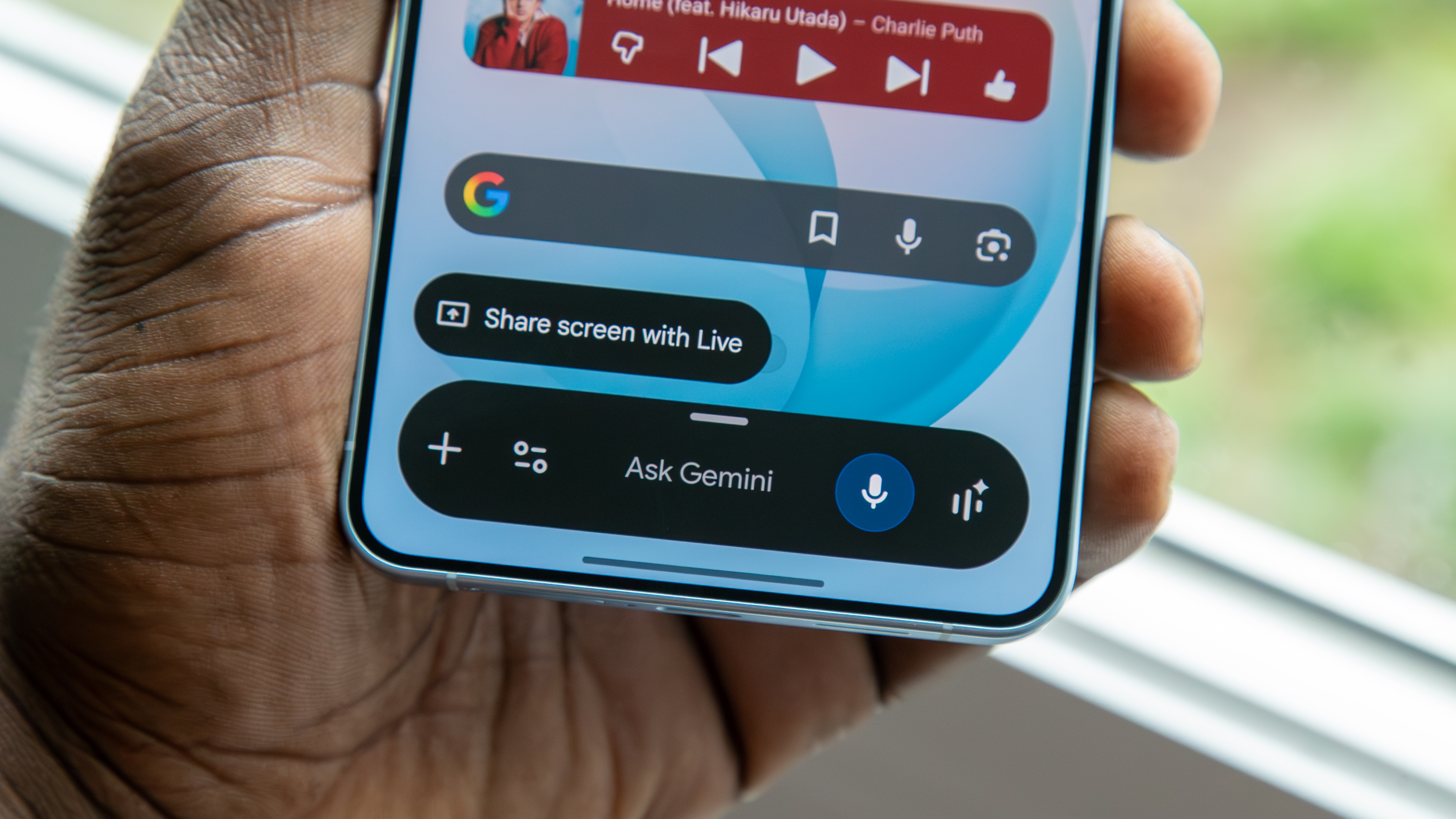 (Image credit: Derrek Lee / Android Central)
Google is quietly rolling out another Gemini makeover on Android, this time tweaking the AI’s overlay. The new interface was announced at Google I/O and is now starting to roll out to some Pixel and Galaxy owners.
A Reddit user spotted the refreshed Gemini UI on their phone, while others reported receiving it on devices including the Galaxy S26 Ultra and Pixel 10 Pro XL. That hardware mix means the update isn’t a Pixel-exclusive update. It also appears to be server-side controlled, so an update to the Google app may not instantly enable it for everyone.
The most significant change is that instead of just placing the assistant’s compact interface over an unchanged screen, the new design applies a prominent blur to whatever is underneath. The background is blurred and softened but still identifiable, visually separating Gemini from whatever app or home screen is open but not hiding it completely.
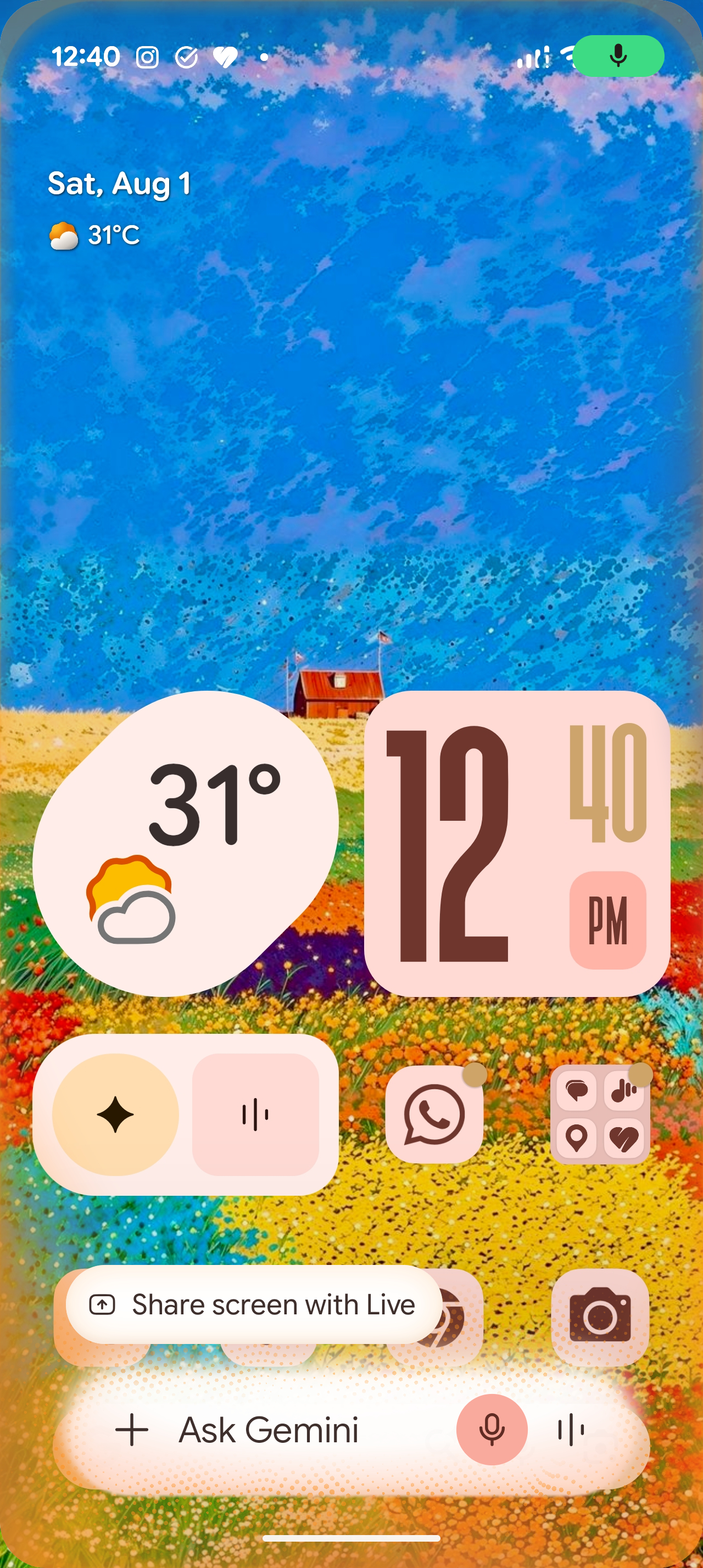
That’s on top of the Gemini overlay Google has been steadily reworking this year. Previous changes included thinner icons, a redesigned plus menu sheet, and Dynamic Color support. Gemini Live also stopped jumping to a separate screen, instead keeping the interaction within the overlay.
There’s no obvious switch to turn it on yet, so if your Gemini overlay still looks the same, you’ll probably just have to wait for Google to flip the switch.
I like the new look, especially because the blur makes Gemini feel more integrated into Android rather than just some random panel layered on top of what you're doing. It retains enough of the background to provide context while keeping the assistant front and center, which should make quick Gemini interactions feel cleaner and less distracting. My only complaint is the usual Google server-side rollout lottery, which makes it hard to get excited about a redesign when two people with the same app version can open Gemini and somehow end up living in different design eras.
Get the latest news from Android Central, your trusted companion in the world of Android
Jay Bonggolto always keeps a nose for news. He has been writing about consumer tech and apps for as long as he can remember, and he has used a variety of Android phones since falling in love with Jelly Bean. Send him a direct message via X or LinkedIn.
| # | Наименование новости | Тональность | Информативность | Дата публикации |
|---|---|---|---|---|
| 1 | Gemini app simplifies thinking level picker, rolling out settings for ‘Notifications’ | 0 | 12.34 | 28-07-2026 |
| 2 | Gemini begins rolling out for existing Android Automotive vehicles | 0 | 5 | 26-06-2026 |
| 3 | Gemini for macOS gets Neural Expressive, AI Mode on Android redesigned | 0 | 12.29 | 21-07-2026 |
| 4 | The Gemini app is bringing personalized image creation to more users. | 5 | 7 | 29-06-2026 |
| 5 | New Gemini overlay for Wear OS rolling out to Pixel Watch | 0 | 13.81 | 07-08-2026 |
| 6 | You can now use Google Gemini to find and install Android apps | 5 | 7 | 29-06-2026 |
| 7 | Will Your Android Be Compatible? Google Reveals Minimum System Requirements For Gemini Intelligence | 0 | 6.33 | 15-05-2026 |
| 8 | Google Gemini – in the car (Android Automotive) 13.1.676.RC06.tng.release.auto by Google LLC | 0 | 1 | 17-07-2026 |
| 9 | ИИ Google Gemini научат запоминать детали со скриншотов смартфона одним нажатием | 0 | 6.69 | 21-08-2026 |
| 10 | Google Drive’s Ask Gemini & AI Overviews come to Android with AI Pro | 0 | 5 | 30-06-2026 |