Просмотр новости
Найдите то, что Вас интересует
 Спутники
 РН
РН SpaceX
 Роскосмос
 NASA
NASA
СпутникиРНSpaceXРоскосмосNASA
#ja-blog-dm-wave2 { color:#33414e; font-size:16px; line-height:1.75; }
#ja-blog-dm-wave2 .post-lead { font-size:19px; line-height:1.7; color:#33414e; }
#ja-blog-dm-wave2 .post-lead strong { color:#007AFF; }
#ja-blog-dm-wave2 h2 { font-weight:700; margin:40px 0 14px; font-size:27px; line-height:1.3; }
#ja-blog-dm-wave2 h3 { font-weight:700; margin:26px 0 8px; font-size:20px; color:#1c2733; }
#ja-blog-dm-wave2 p { margin:0 0 16px; }
#ja-blog-dm-wave2 ul { margin:0 0 18px; padding-left:0; list-style:none; }
#ja-blog-dm-wave2 ul li { position:relative; padding:8px 0 8px 30px; border-bottom:1px solid #eef2f6; }
#ja-blog-dm-wave2 ul li:last-child { border-bottom:none; }
#ja-blog-dm-wave2 ul li:before { content:"\1F319"; position:absolute; left:0; top:8px; }
#ja-blog-dm-wave2 .ja-callout { background:#f4f8ff; border-left:4px solid #007AFF; border-radius:8px; padding:18px 22px; margin:24px 0; }
#ja-blog-dm-wave2 .ja-callout p:last-child { margin-bottom:0; }
#ja-blog-dm-wave2 ol { counter-reset:step; margin:0 0 18px; padding-left:0; list-style:none; }
#ja-blog-dm-wave2 ol li { position:relative; padding:8px 0 8px 42px; }
#ja-blog-dm-wave2 ol li:before { counter-increment:step; content:counter(step); position:absolute; left:0; top:6px; width:26px; height:26px; line-height:26px; text-align:center; background:#007AFF; color:#fff; border-radius:50%; font-size:13px; font-weight:700; }
#ja-blog-dm-wave2 .ja-cta { text-align:center; margin:34px 0 10px; }
#ja-blog-dm-wave2 .ja-cta a.btn { display:inline-block; background:#007AFF; color:#fff; text-decoration:none; padding:13px 30px; border-radius:8px; font-weight:600; font-size:16px; margin:6px; }
#ja-blog-dm-wave2 .post-signoff { font-style:italic; color:#8a97a6; margin-top:30px; }
The Dark Mode roll-out isn't slowing down. After our first wave, seven more templates now ship with a built-in light / dark toggle - and one of them is a long-time favourite, JA Teline V.
Newly updated with Dark Mode
Each of these templates now includes a one-click sun / moon toggle, automatic detection of the visitor's system preference, and a remembered choice for returning visitors - while your existing light design stays exactly the same.
JA Teline V - our best-selling news & magazine template
JA Athena - university & education
JA MixStore - multipurpose eCommerce (VirtueMart & J2Store)
JA Phio - portfolio & creative showcase
JA Helple - charity, NGO & fundraising
JA FindUs - business & directory
JA Vital - health & nutrition
And we're not done - more templates are getting Dark Mode every week.
Why Dark Mode?
A dark option is now something visitors expect. It's easier on the eyes in low light, gives your site a more modern, premium feel, and lets each visitor choose the experience they prefer - all without changing your site's structure.
How to update
Download the latest package for your template from your JoomlArt account.
Install the update over your current template.
Open your site and click the sun / moon toggle in the header to preview Dark Mode.
Your content and existing configuration stay in place. Prefer light only? Leave it - light mode remains the default and untouched.
Browse all templates →
Every one of these updates is included with a JoomlArt membership - along with all 200+ templates and everything we ship next.
More Dark Mode templates are on the way - stay tuned.
— The JoomlArt Team
The Dark Mode roll-out isn't slowing down. After our first wave, seven more templates now ship with a built-in light / dark toggle - and one of them is a long-time favourite, JA Teline V.
Newly updated with Dark ModeEach of these templates now includes a one-click sun / moon toggle, automatic detection of the visitor's system preference, and a remembered choice for returning visitors - while your existing light design stays exactly the same.
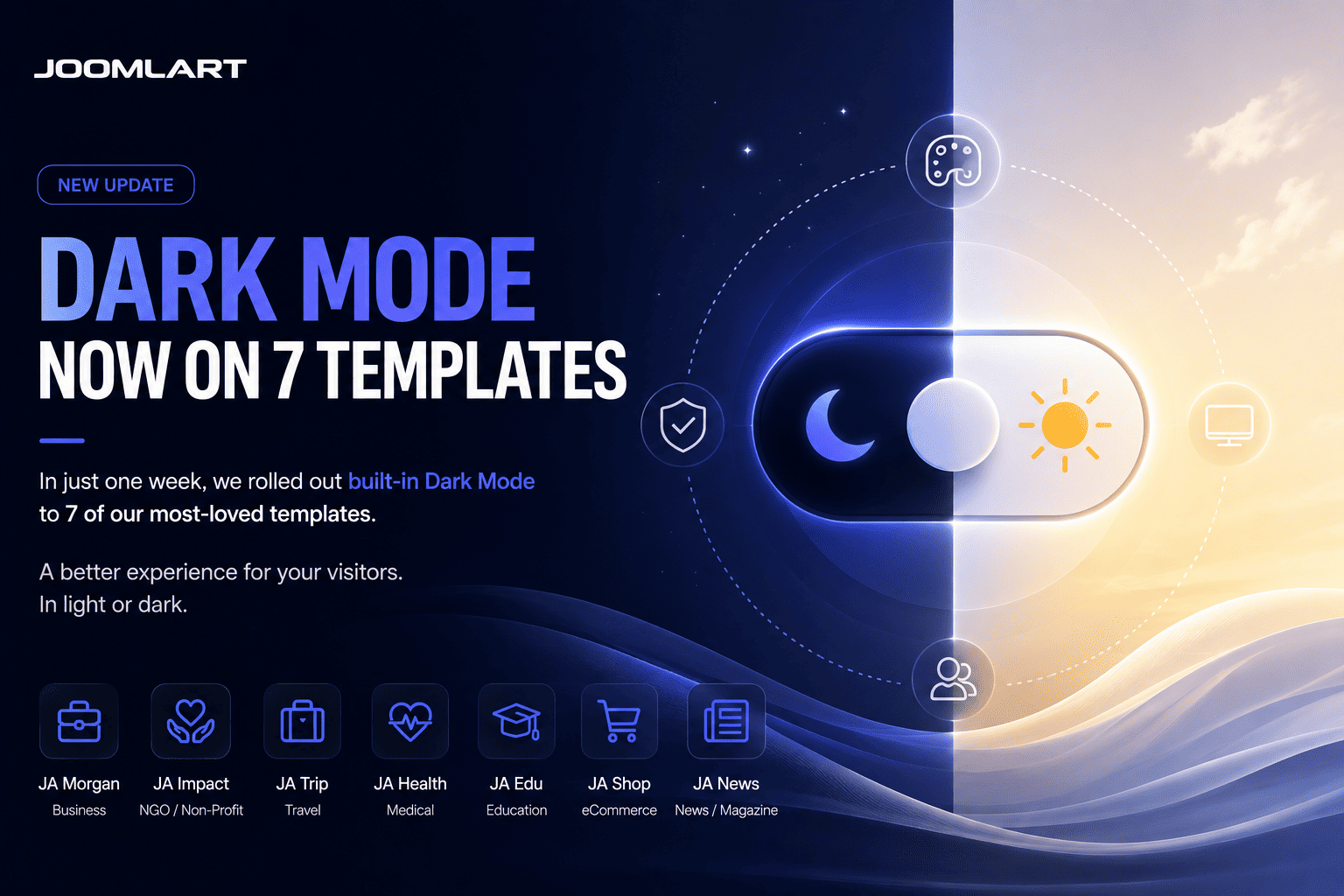
And we're not done - more templates are getting Dark Mode every week.
Why Dark Mode?A dark option is now something visitors expect. It's easier on the eyes in low light, gives your site a more modern, premium feel, and lets each visitor choose the experience they prefer - all without changing your site's structure.
How to updateYour content and existing configuration stay in place. Prefer light only? Leave it - light mode remains the default and untouched.
Every one of these updates is included with a JoomlArt membership - along with all 200+ templates and everything we ship next.
More Dark Mode templates are on the way - stay tuned.
— The JoomlArt Team
Found this article interesting? Subscribe to our newsletter for more.
Or share this article with your friends
| # | Наименование новости | Тональность | Информативность | Дата публикации |
|---|---|---|---|---|
| 1 | Dark Mode Roll-out Continues: 4 More Templates Updated | 0 | 40.8 | 18-07-2026 |
| 2 | June 2026 Recap: Dark Mode for 13 Templates & T4 Ready for Joomla 6 | 0 | 38.46 | 26-06-2026 |
| 3 | Introducing JA Stratum: A Modern SaaS Joomla Template for Startups | 0 | 43.27 | 04-07-2026 |
| 4 | Introducing JA Nexora: A Modern AI & SaaS Joomla Template | 0 | 40.68 | 12-07-2026 |
| 5 | Introducing JA Voyara: An Elegant Travel Agency Joomla Template | 0 | 39.75 | 22-07-2026 |
| 6 | All gays will go to hellsite | 0 | 28.25 | 10-02-2026 |
| 7 | I love painting this lighting bc it makes me feel like i just stumbled into something i shouldn’t be… | 0 | 25.95 | 20-01-2026 |
| 8 | taking turns in the sunbeam | 0 | 0 | 27-06-2026 |
| 9 | [ t h e p o r t a l ] | 0 | 27.2 | 06-06-2026 |
| 10 | “ Light in the Dark ” //© Carl Evans | 0 | 22.53 | 02-08-2026 |